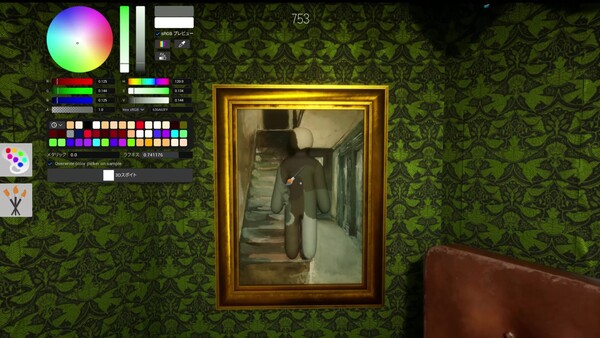
Useful paint tips for MECCHA CHAMELEON: match color, material, roughness, metallic, lighting, and body silhouette instead of only copying one color.
Last checked: 2026-07-10
Source basis: Steam description and Steam community paint/material guides. Community tips are summarized and attributed as community-sourced, not official documentation.
The paint system is the main reason MECCHA CHAMELEON is different from a normal hide-and-seek game. Hiders start as white bodies, then paint themselves to imitate the stage.
The biggest beginner mistake is treating paint as only a color problem. Good camouflage is closer to this formula:
Community-sourced framework
Camouflage is a four-part match, not a single color pick
1. Match the color, but do not stop there
Color is the first layer. If the wall is green, your body probably cannot stay white. But exact color alone is not enough.
Useful habits:
- Sample more than one nearby point instead of trusting a single pixel.
- Paint large body zones first.
- Check the result from the Seeker’s likely distance, not only close-up.
- Compare against the surrounding wall/floor/furniture after moving the camera.
If your color is slightly off but your silhouette is hidden, you may survive. If your color is perfect but your outline screams “person,” you will probably lose.
2. Material matters: metallic and roughness can expose you
A Steam community paint guide warns that the eyedropper may not always copy the full material feel. It may copy the base color but still leave differences in Metallic or Roughness.
Think of material like this from the actual Steam screenshots:
Official Steam screenshot reference
Read the surface before you paint
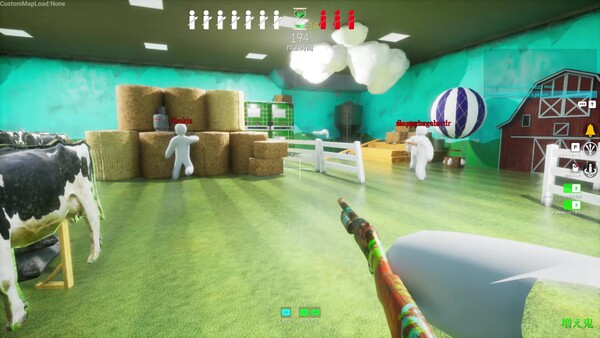
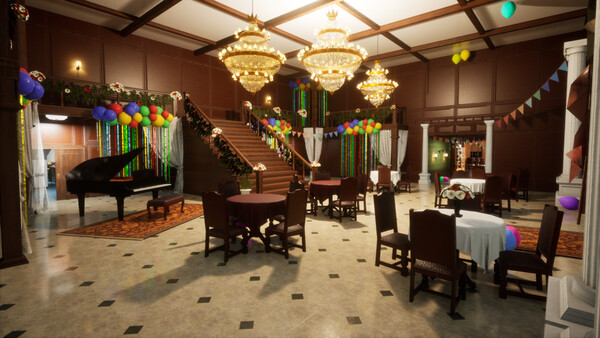
- Matte / rough surfaces: stone, dusty concrete, cloth, old walls.
- Low-shine surfaces: wood, painted panels, plastic, furniture.
- Glossy / reflective surfaces: wet areas, polished floors, mirrors, chrome, metal.
If you hide on a matte wall but your body is glossy, Seekers may notice the reflection before they notice the color. If you hide near metal and your body is too flat, it may also stand out.
3. Break your silhouette
Seekers often see shape before they read color.
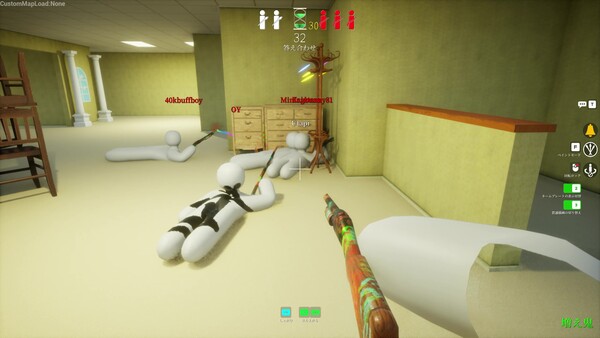
Official Steam screenshot reference
Use real room detail to break the body outline
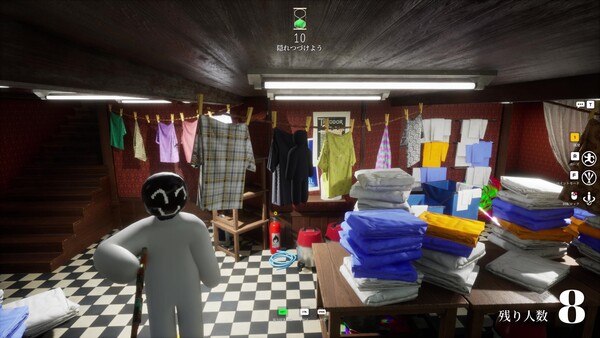
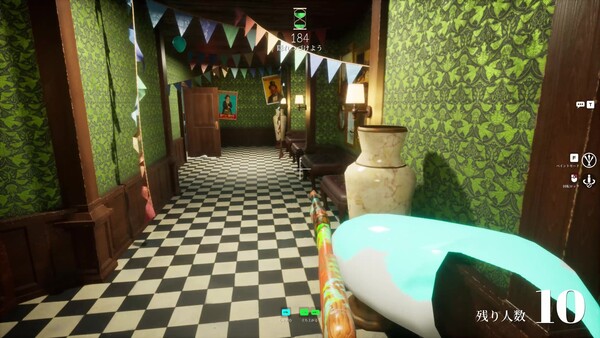
Common giveaway points:
- Head outline
- Shoulders
- Elbows
- Knees
- Feet sticking out from flat surfaces
- A body pose that does not match nearby props
Better hiding usually means making your body look like part of a larger pattern: a wall panel, a dark corner, a furniture edge, a poster, a pipe area, or a busy prop cluster.
4. Use the eyedropper carefully
Community guides repeatedly mention the eyedropper as useful but not magic. Treat it as a starting point:
- Sample the target surface.
- Paint broad body regions.
- Rotate camera.
- Check brightness and reflection.
- Adjust material controls if the body still pops out.
- Step back and test from the Seeker’s perspective.
Do not spend the whole round painting pixel by pixel. In a live match, speed and silhouette often matter more.
5. Hex color notes from the community
A community color-code guide says the in-game picker has a Hex sRGB field and that players can paste a hex code with alpha, for example:
Community color-code example
How to read a pasted paint value
2b4660 is the blue-grey color. FF is the alpha value. Treat this as a starting point, then adjust for the room lighting.
That means 2b4660 for color plus FF for alpha. The same guide says S/V slider values use 0–1 in-game, so a tool value like S=53 should be treated as 0.53.
Because this comes from community research, verify in your current game version before building a strategy around it.
Bad vs Better: test one paint variable
When a disguise fails, do not rebuild everything at once. Keep the same surface family and change the first cue the Seeker noticed.
Bad review
- Call every loss a color problem.
- Change hue, material, pose, and position together.
- Judge the result only from close range.
- Spend detail time before the body is fully covered.
Better test
- Name the first clue: outline, brightness, shine, movement, position, or white patch.
- Change that one variable next round.
- Check once from likely Seeker distance.
- Keep the correction only if it survives longer.
Use the interactive Why was I spotted? diagnosis when you cannot decide whether paint, pose, or position failed first.
Practical paint checklist
Before locking in your hiding spot, ask:
- Does the body match the nearby color family?
- Is roughness/metallic close to the surface?
- Is the lighting direction believable?
- Are head, shoulders, knees, and elbows hidden?
- Does the pose fit the object or wall pattern?
- Would this still work from several meters away?
If the checklist points to the room rather than the paint, continue with the Maps Guide. If it points to a body landmark or late movement, use the Hider Guide.
Sources and further reading
- Official Steam page
- Steam Community Guide:
🎨 Paint & Material Guide - Steam Community Guide:
Exact color codes for every surface — all 7 base maps