QUICK ANSWER
A compact MECCHA CHAMELEON tips page with concrete hider, seeker, paint, multiplayer, and Workshop habits players can use immediately.
Last checked: 2026-07-10
Best use: skim before a match. For detailed reasoning, use the dedicated Hider, Seeker, Paint, and Known Issues pages.
5 hider tips that actually change rounds
- Hide on an edge, not the center. Edges of shelves, pipes, posters, furniture, and wall seams break your body outline.
- Paint broad body zones first. Torso/head/legs matter before tiny color patches.
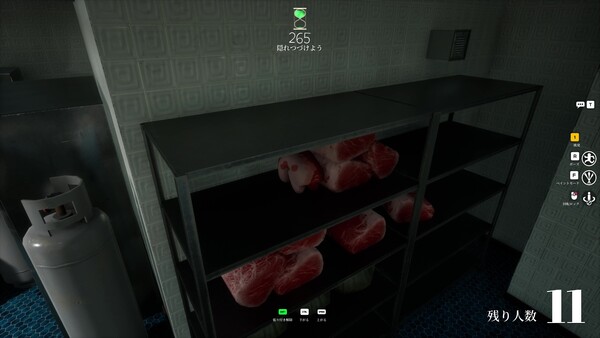
- Match brightness before exact hue. A too-bright body in a shadow gets caught immediately.
- Do not rotate when watched. Movement tells seekers where to inspect.
- Use visual noise. Wallpaper, bricks, clutter, and dark pipes forgive imperfect paint.
5 seeker tips that catch better hiders
- Scan outlines first. Head/shoulder shapes beat color guessing.
- Check brightness shifts. A wrong shadow value is a strong clue.
- Look at material. Glossy body on matte wall, or flat body on metal, stands out.
- Follow room logic. Ask what normally belongs on that wall/floor/shelf.
- In ammo-limit matches, require evidence. Shoot after silhouette + brightness or silhouette + material, not one weak clue.
5 paint tips
- Sample nearby colors, but adjust for the exact light/shadow you occupy.
- If the eyedropper looks close but wrong, check roughness/metallic/material settings.
- Use color codes as a shortcut, not as a replacement for camera-angle checks.
- Avoid pure black/white unless the scene truly uses pure black/white.
- After painting, step back mentally: does the whole body belong, or only one patch?
5 multiplayer tips
- Learn in friends/private lobbies before public Workshop chaos.
- If public joining fails, test a non-Workshop lobby before changing your whole setup.
- Host quality matters; laggy matches can be network-related.
- Streamer/public rooms need rules because drawings and spam can derail matches.
- If one lobby is toxic, leave. Do not let public lobby behavior define the game.
5 Workshop map tips
- Prefer Workshop items with recent updates, comments, and clear descriptions.
- New players should test default maps first so custom layouts do not mask basic mistakes.
- In a new custom map, find patterned walls, clutter zones, and obvious meme spots immediately.
- If map download fails, subscribe from Steam Workshop and restart Steam/game.
- Avoid random external map files; Steam Workshop is the safer default path.
Next reads by problem
- Getting caught instantly → Hider Guide
- Cannot find anyone → Seeker Guide
- Paint looks wrong → Paint System Guide
- Lobbies fail → Known Issues and Fixes